> ## Documentation Index
> Fetch the complete documentation index at: https://docs.incident.io/llms.txt
> Use this file to discover all available pages before exploring further.
# Team resources
> See which resources can be owned by a team, and what that ownership controls
Once you've [set up teams](/catalog/teams), many resources in incident.io can be **owned** by one or more of them. Each resource can be owned by a different team, so, for example, one alert route might belong to Team A while another belongs to Team B.
Ownership only applies once you have teams. If your organization doesn't use teams yet, start with [Setting up
teams](/catalog/teams).
## What can be owned
Which resources you can give an owning team depends on the products you use:
* **Response**: incident types and lifecycles, announcement rules, and announcement post templates
* **On-call**: escalation paths, schedules, alert routes, and alert sources
* **Cross-cutting**: workflows and API keys
Alerts are also associated with a team, via their **Team attribute**, which decides which team owns each alert.
## What ownership does
Giving a resource an owning team affects two separate things:
* **Team views and routing.** Owned resources appear under that team in their team views, float to the top of the relevant lists, and drive things like [alert routing](/alerts/team-routing). This happens whether or not you use team roles.
* **Who can manage it.** If your organization uses [team roles](/admin/team-roles), ownership also decides who can manage the resource: members of an owning team with the right permission, plus anyone who holds that permission account-wide.
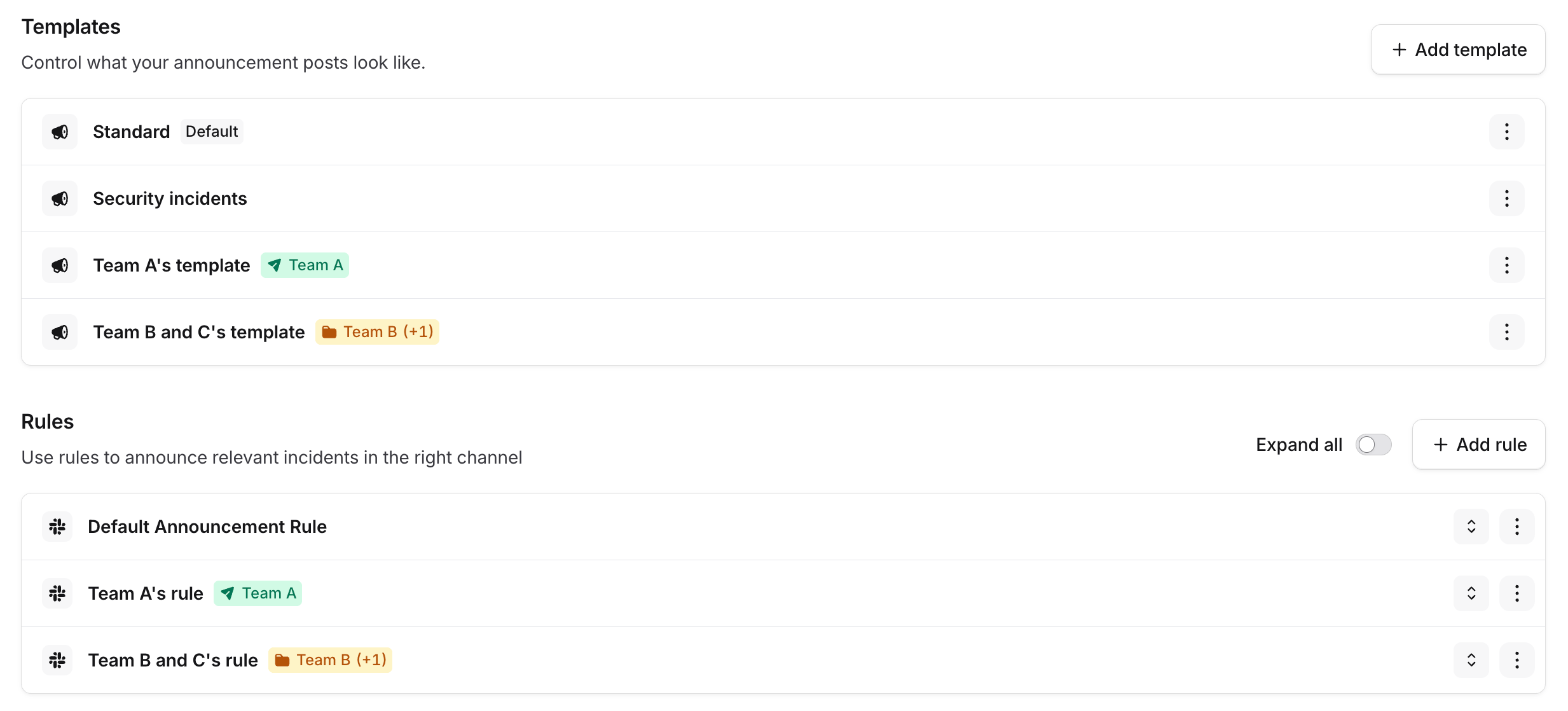
Owned resources are labelled with their owning team wherever they're listed. For example, on the [Announcements](/admin/announcements) settings page, each template and rule shows a badge for the team that owns it:
 ## Setting an owning team
Where you set the owner depends on the resource (for example the **Owned by** control on a workflow, the **Announcement rule owner** field on a rule, or the **Incident type owner** field on an incident type). The [Team permissions](/admin/team-roles) pages walk through each resource in turn, including which permission governs it.
## Setting an owning team
Where you set the owner depends on the resource (for example the **Owned by** control on a workflow, the **Announcement rule owner** field on a rule, or the **Incident type owner** field on an incident type). The [Team permissions](/admin/team-roles) pages walk through each resource in turn, including which permission governs it.