> ## Documentation Index
> Fetch the complete documentation index at: https://docs.incident.io/llms.txt
> Use this file to discover all available pages before exploring further.
# Automatically setting custom fields
It can be useful to automatically set custom fields to reduce the mental overhead for your responders.
## Common use cases
**1. Speed up responders**
Using [Catalog](/catalog/catalog-setup), it's possible to 'guess' what the right value is for a custom field. For example, if the affected service is `Data Pipeline`, the affected team is **probably** `Data`. The Catalog can figure this out for you, without the responder having to fill in yet another dropdown during the incident.
**2. Improve reporting**
If you're a larger org, you might have hundreds of teams. When it comes to reporting and insights, it's often useful to cut the data in a less granular way: perhaps by **Division** or **Function**.
To enable this, you can create another custom field `Affected Functions` and use the Catalog to automatically set this based on the `Affected Teams` field that the responder has set above.
You would never even need to show this field to a responder, but it would then be available for you to slice and dice data going forwards.
## How to create an automated custom field
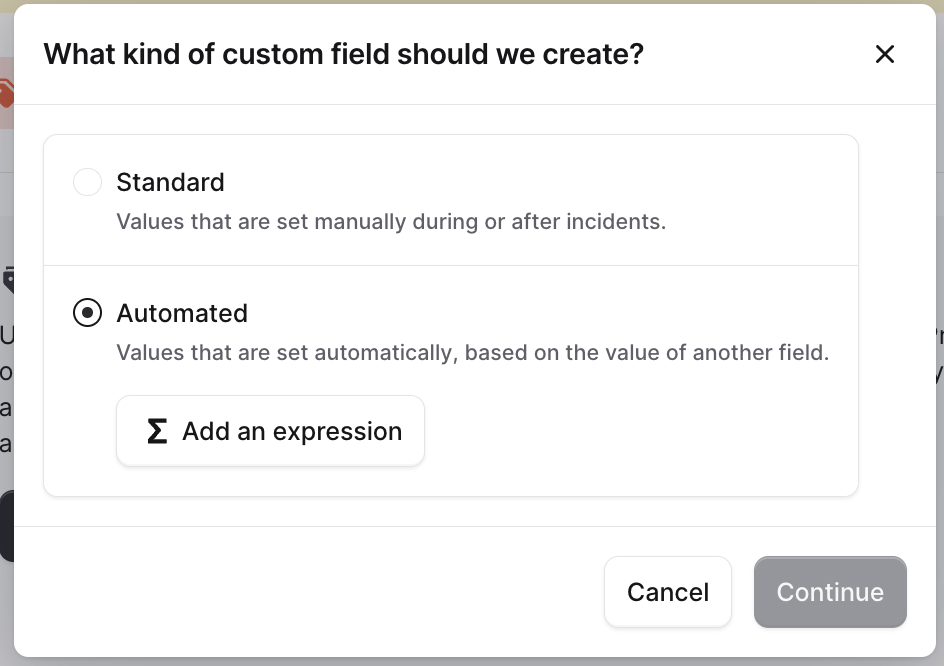
When creating a custom field, select Automated, and then Add an expression.
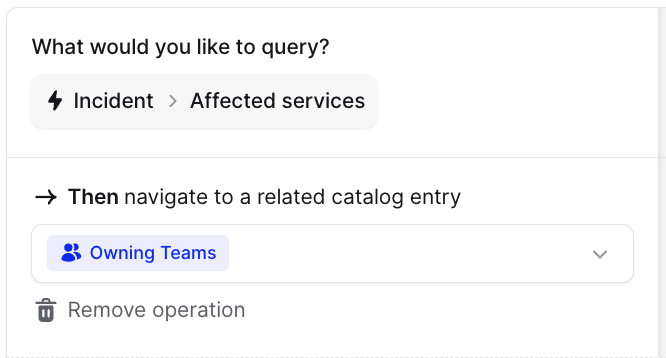
 Then, use the Expression Builder to navigate through your Catalog to automatically derive a custom field based on the value of another custom field.
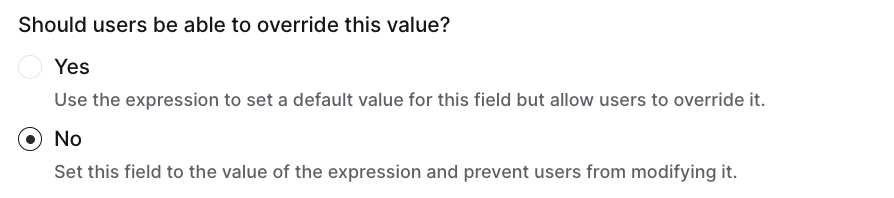
 You can also decide whether users are able to override the value of the custom field. For our `Affected teams` use-case, we probably do want users to be able to choose another value - this is more of a 'sensible default'.
However, for our `Affected functions` use-case (i.e. for reporting) there's no need: there's always a consistent relationship between team and function.
You can also decide whether users are able to override the value of the custom field. For our `Affected teams` use-case, we probably do want users to be able to choose another value - this is more of a 'sensible default'.
However, for our `Affected functions` use-case (i.e. for reporting) there's no need: there's always a consistent relationship between team and function.