> ## Documentation Index
> Fetch the complete documentation index at: https://docs.incident.io/llms.txt
> Use this file to discover all available pages before exploring further.

# Adding SolarWinds AppOptics as an alert source

This article provides step by step instructions for setting up SolarWinds AppOptics as an alert source within incident.io.

## Instructions

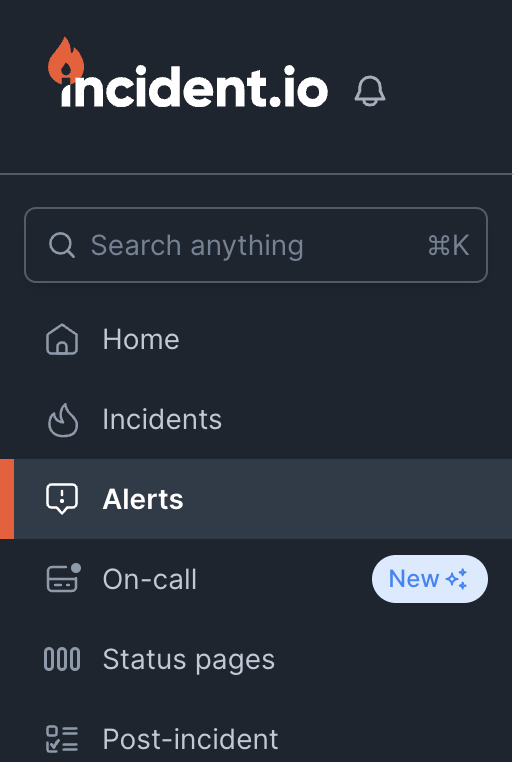
1. Head over to the [Alerts](https://app.incident.io/~/alerts/sources) section in your incident.io dashboard
<img src="https://mintcdn.com/incidentio-18bb4170/_tV3mgrVYiHDUZXz/images/help-centre/adding-solarwinds-appoptics-as-an-alert-source/screenshot-1.png?fit=max&auto=format&n=_tV3mgrVYiHDUZXz&q=85&s=54f32063b164f8a0effd5226b44ec86d" alt="" width="514" height="762" data-path="images/help-centre/adding-solarwinds-appoptics-as-an-alert-source/screenshot-1.png" />

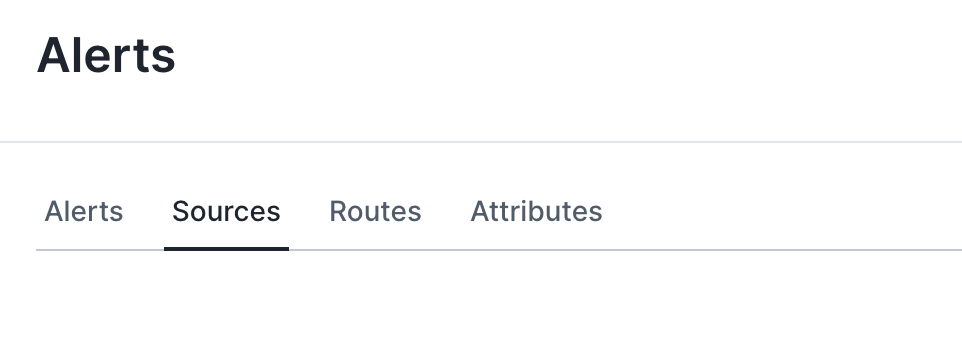
2. Select the sources tab at the top of the page
<img src="https://mintcdn.com/incidentio-18bb4170/_tV3mgrVYiHDUZXz/images/help-centre/adding-solarwinds-appoptics-as-an-alert-source/screenshot-2.png?fit=max&auto=format&n=_tV3mgrVYiHDUZXz&q=85&s=41bb53b9445aba3881d55e6fdb6824eb" alt="" width="962" height="342" data-path="images/help-centre/adding-solarwinds-appoptics-as-an-alert-source/screenshot-2.png" />

3. Press the 'New alert source' button

<img src="https://mintcdn.com/incidentio-18bb4170/_tV3mgrVYiHDUZXz/images/help-centre/adding-solarwinds-appoptics-as-an-alert-source/screenshot-3.png?fit=max&auto=format&n=_tV3mgrVYiHDUZXz&q=85&s=00ddbf0482b01b26dccd28a4e138a82a" alt="" width="1516" height="222" data-path="images/help-centre/adding-solarwinds-appoptics-as-an-alert-source/screenshot-3.png" />

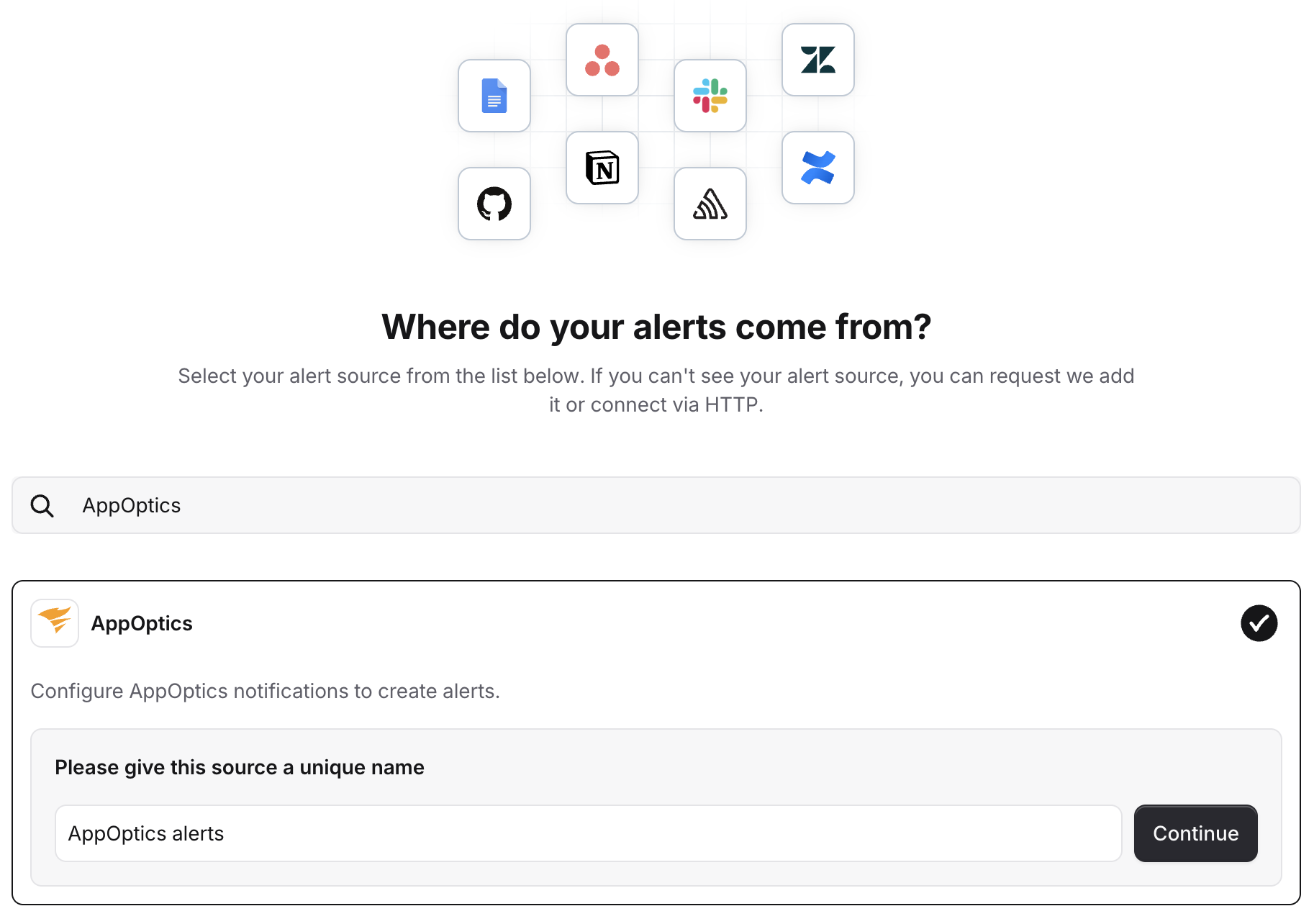
4. Search for 'AppOptics' and click continue to create the alert source
<img src="https://mintcdn.com/incidentio-18bb4170/_tV3mgrVYiHDUZXz/images/help-centre/adding-solarwinds-appoptics-as-an-alert-source/screenshot-4.png?fit=max&auto=format&n=_tV3mgrVYiHDUZXz&q=85&s=01f9ff81319e8f3ce56dcef8e65c19fa" alt="" width="1826" height="1284" data-path="images/help-centre/adding-solarwinds-appoptics-as-an-alert-source/screenshot-4.png" />

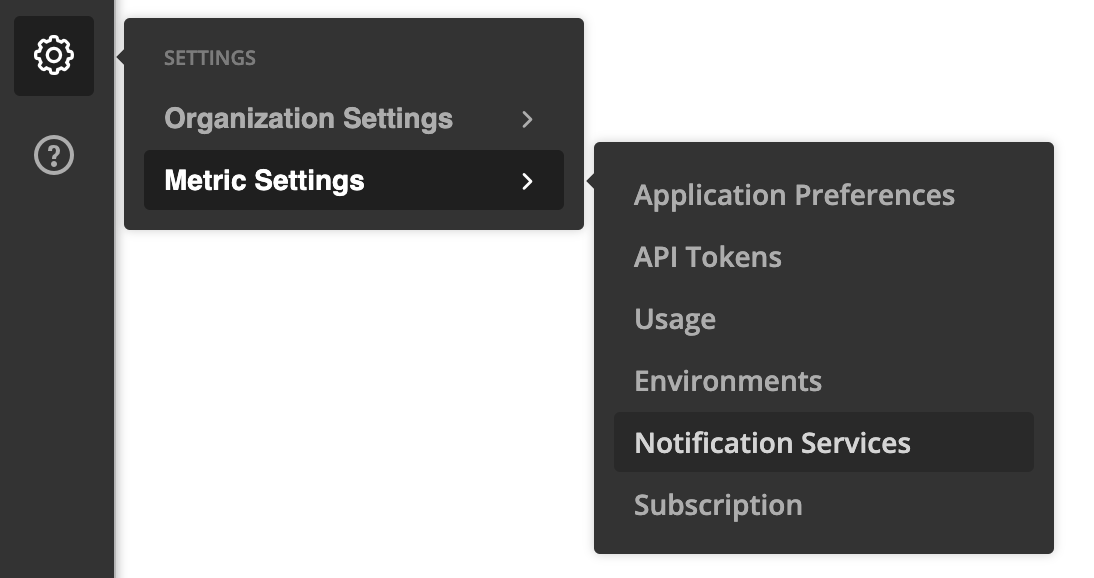
5. Head over to the AppOptics dashboard, and navigate to *Settings* → *Metric Settings* → *Notification Services*
<img src="https://mintcdn.com/incidentio-18bb4170/_tV3mgrVYiHDUZXz/images/help-centre/adding-solarwinds-appoptics-as-an-alert-source/screenshot-5.png?fit=max&auto=format&n=_tV3mgrVYiHDUZXz&q=85&s=7e427b18ab7c4b5c3f56958def909d25" alt="" width="1094" height="578" data-path="images/help-centre/adding-solarwinds-appoptics-as-an-alert-source/screenshot-5.png" />

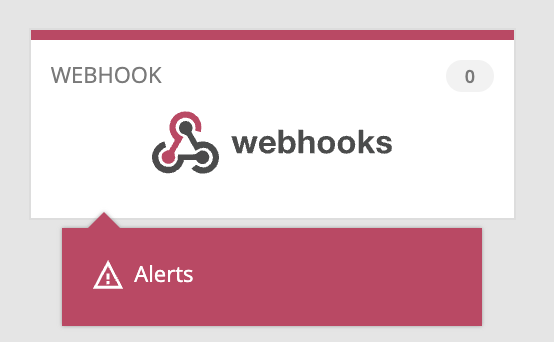
6. Click on *Webhooks* to add a configuration
<img src="https://mintcdn.com/incidentio-18bb4170/_tV3mgrVYiHDUZXz/images/help-centre/adding-solarwinds-appoptics-as-an-alert-source/screenshot-6.png?fit=max&auto=format&n=_tV3mgrVYiHDUZXz&q=85&s=0769e4c6ee6883746ffbd15b789961b6" alt="" width="554" height="342" data-path="images/help-centre/adding-solarwinds-appoptics-as-an-alert-source/screenshot-6.png" />

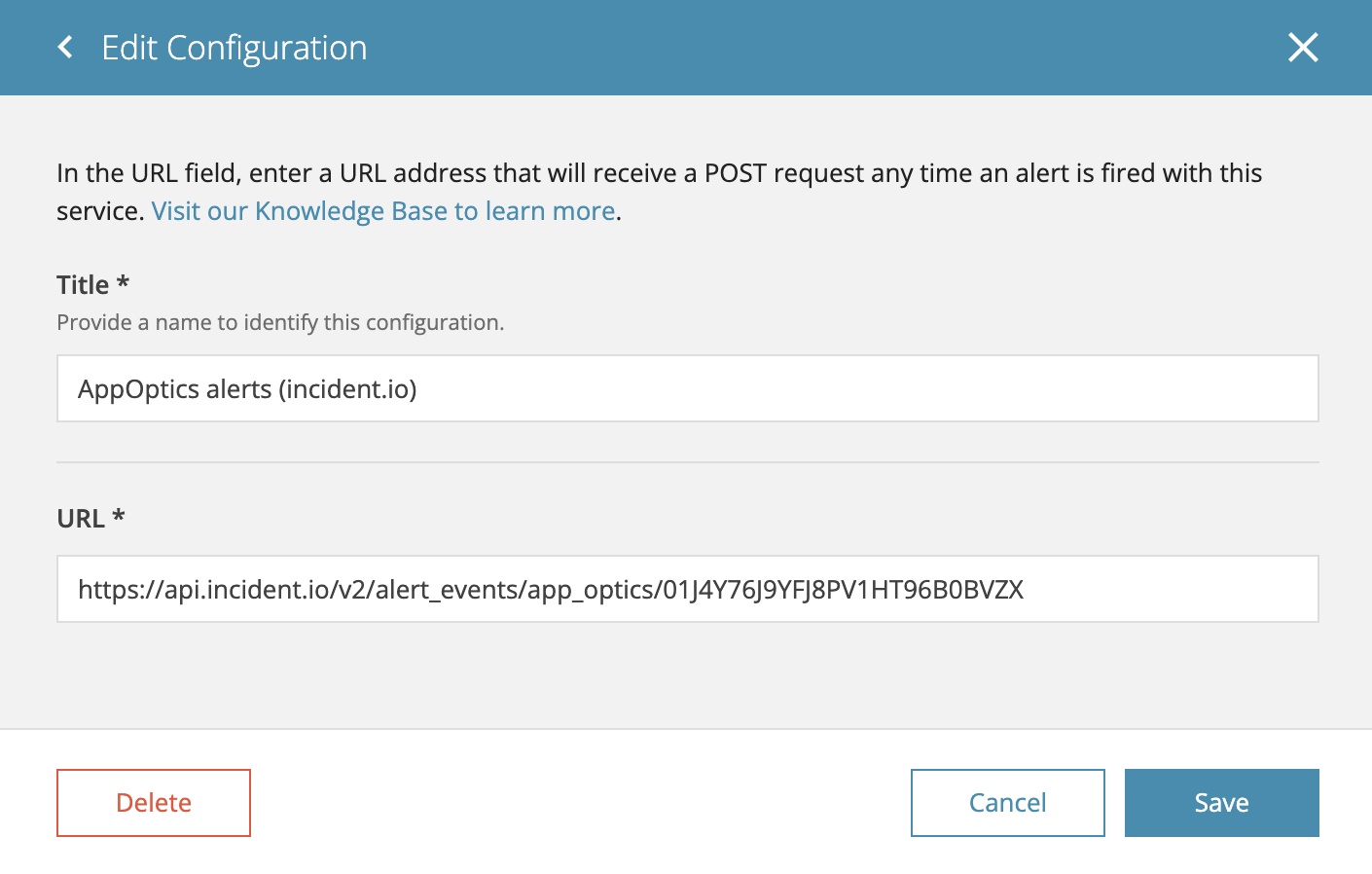
7. Enter a name for your webhook, and the URL provided from your incident.io dashboard, and click *Add*.
<img src="https://mintcdn.com/incidentio-18bb4170/_tV3mgrVYiHDUZXz/images/help-centre/adding-solarwinds-appoptics-as-an-alert-source/screenshot-7.png?fit=max&auto=format&n=_tV3mgrVYiHDUZXz&q=85&s=3a46169656a8da35f1e44763c69f8b1d" alt="" width="1410" height="898" data-path="images/help-centre/adding-solarwinds-appoptics-as-an-alert-source/screenshot-7.png" />

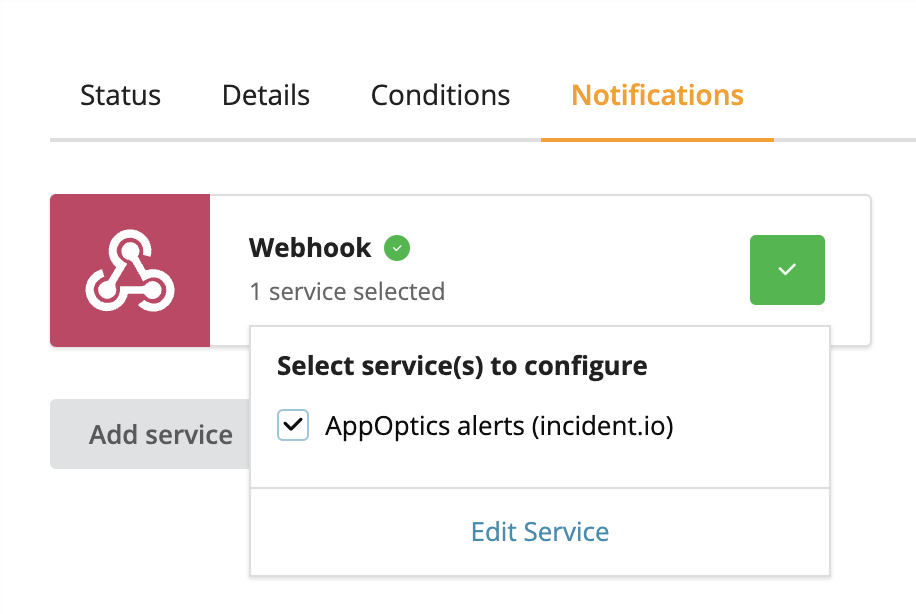
7. Now, you can configure your alerts to be sent to incident.io, by navigating to the *Notifications* tab on any alert you want to connect, and enabling the notification service you just created.
<img src="https://mintcdn.com/incidentio-18bb4170/_tV3mgrVYiHDUZXz/images/help-centre/adding-solarwinds-appoptics-as-an-alert-source/screenshot-8.png?fit=max&auto=format&n=_tV3mgrVYiHDUZXz&q=85&s=86269c98f8da4170d30e2535382a8fc7" alt="" width="916" height="614" data-path="images/help-centre/adding-solarwinds-appoptics-as-an-alert-source/screenshot-8.png" />

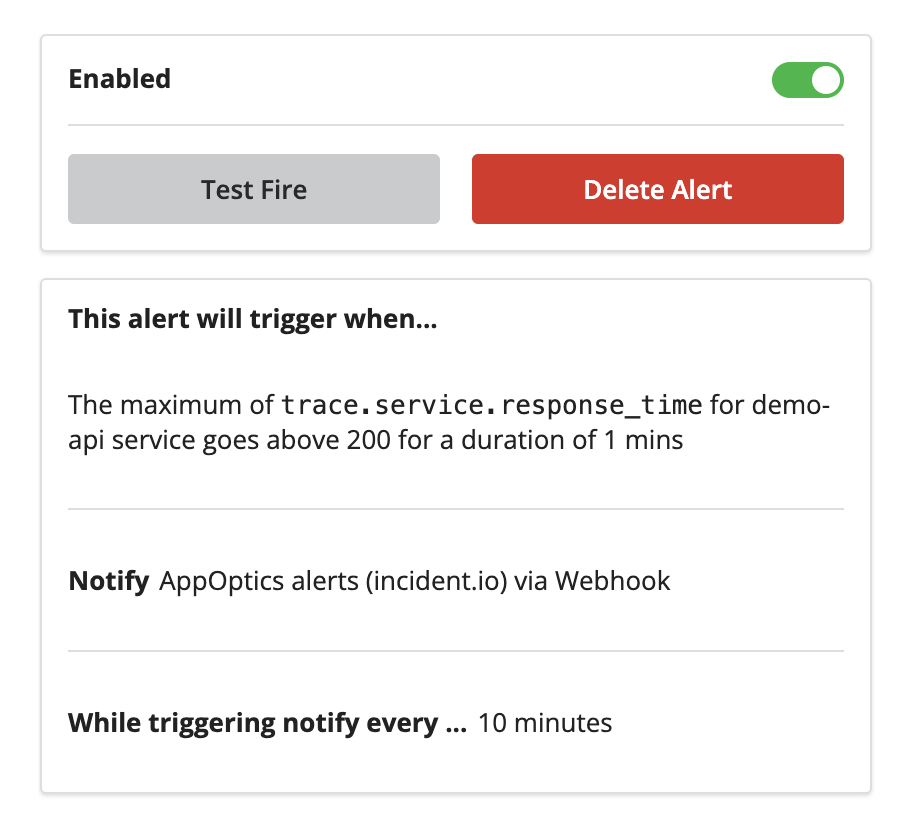
8. Finally, you can test the connection by clicking *Test Fire* on the right hand side of the page.
<img src="https://mintcdn.com/incidentio-18bb4170/_tV3mgrVYiHDUZXz/images/help-centre/adding-solarwinds-appoptics-as-an-alert-source/screenshot-9.png?fit=max&auto=format&n=_tV3mgrVYiHDUZXz&q=85&s=7a9ce82f24dc0c498223acf771d83b34" alt="" width="908" height="814" data-path="images/help-centre/adding-solarwinds-appoptics-as-an-alert-source/screenshot-9.png" />
