> ## Documentation Index
> Fetch the complete documentation index at: https://docs.incident.io/llms.txt
> Use this file to discover all available pages before exploring further.
# Adding Monte Carlo as an alert source
This article provides step by step instructions for setting up Monte Carlo as an alert source within incident.io. This will allow you to receive alerts, page the right people & open incidents when they are using Monte Carlo to detect data quality issues (eg: we don't have as many customer emails as we did yesterday).
## Instructions to set up
1. Head over to the [Alerts](https://app.incident.io/~/alerts/sources) section in your incident.io dashboard
2. Select the Configuration tab at the top of the page
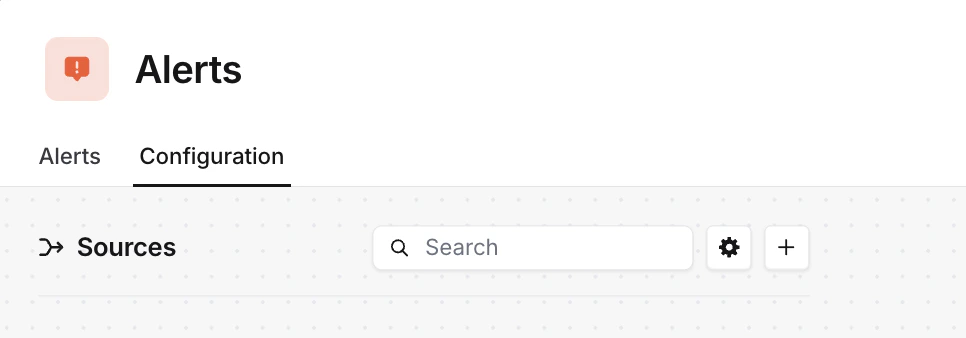 3. Press the 'New alert source' button
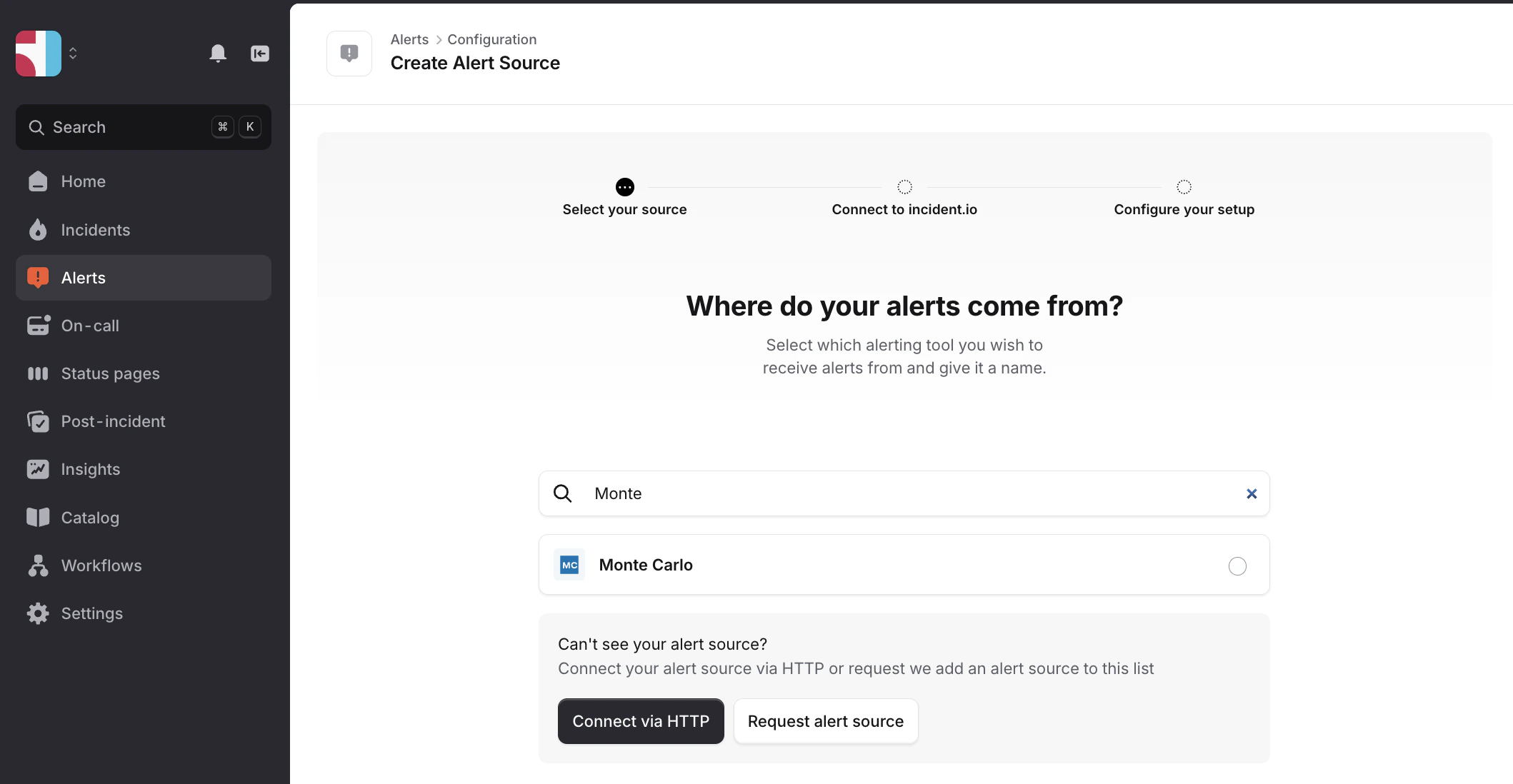
4. Search for 'Monte Carlo' and click continue to create the alert source
3. Press the 'New alert source' button
4. Search for 'Monte Carlo' and click continue to create the alert source
 5. Head over to the [notification settings page](https://getmontecarlo.com/settings/notifications/settings) in Monte Carlo
6. Create an [audience](https://docs.getmontecarlo.com/docs/how-to-add-an-audience) or edit an existing audience.
7. Name the Audience and select **incident.io** as the **Recipient channel.**
8. Enter the destination incident.io URL from incident.io and token if applicable.
9. \[Optional] Name this recipient, as a single audience can have multiple recipients.
10. Create the audience
## Alert events and updates
The following events receive an update to incident.io:
1. Alert is created
2. Alert is acknowledged
3. Alert status is updated
4. Alert owner is changed
5. External ticket is attached to an alert (Jira, ServiceNow, etc.)
6. Alert is marked as incident
7. Alert is unmarked as incident
8. Alert is resolved
Monte Carlo integration will use 'Last wins' in the alert updates, meaning that every new alert we receive with the same "incident\_id", we'll update the fields to the newest value. incident.io uses "incident\_id" as a deduplication key, so if there are other alerts coming with the same id, it will not create new alerts for them.
**The following are the key fields that are changed by alert updates.**
| Webhook event | alert\_feedback | declared\_alert\_severity | owner |
| --------------------------------------- | ----------------------------------------------------------------------------------------------------------- | ---------------------------------- | ----------------------- |
| Alert is created | `null` | `null` | not included in payload |
| Alert is acknowledged | `investigating` | -- | -- |
| Alert status is updated | `investigating`, `no_status`, `work_in_progress`, `fixed`, `expected`, `no_action_needed`, `false_positive` | -- | -- |
| Alert owner is changed | -- | -- | email of assigned owner |
| External ticket is attached to an alert | -- | -- | -- |
| Alert is marked as incident | `investigating` (only if current is `null` or `no_status`) | `SEV-1`, `SEV-2`, `SEV-3`, `SEV-4` | -- |
| Alert is unmarked as incident | -- | `null` | -- |
| Alert is resolved | `fixed`, `expected`, `no_action_needed`, `false_positive` | -- | -- |
5. Head over to the [notification settings page](https://getmontecarlo.com/settings/notifications/settings) in Monte Carlo
6. Create an [audience](https://docs.getmontecarlo.com/docs/how-to-add-an-audience) or edit an existing audience.
7. Name the Audience and select **incident.io** as the **Recipient channel.**
8. Enter the destination incident.io URL from incident.io and token if applicable.
9. \[Optional] Name this recipient, as a single audience can have multiple recipients.
10. Create the audience
## Alert events and updates
The following events receive an update to incident.io:
1. Alert is created
2. Alert is acknowledged
3. Alert status is updated
4. Alert owner is changed
5. External ticket is attached to an alert (Jira, ServiceNow, etc.)
6. Alert is marked as incident
7. Alert is unmarked as incident
8. Alert is resolved
Monte Carlo integration will use 'Last wins' in the alert updates, meaning that every new alert we receive with the same "incident\_id", we'll update the fields to the newest value. incident.io uses "incident\_id" as a deduplication key, so if there are other alerts coming with the same id, it will not create new alerts for them.
**The following are the key fields that are changed by alert updates.**
| Webhook event | alert\_feedback | declared\_alert\_severity | owner |
| --------------------------------------- | ----------------------------------------------------------------------------------------------------------- | ---------------------------------- | ----------------------- |
| Alert is created | `null` | `null` | not included in payload |
| Alert is acknowledged | `investigating` | -- | -- |
| Alert status is updated | `investigating`, `no_status`, `work_in_progress`, `fixed`, `expected`, `no_action_needed`, `false_positive` | -- | -- |
| Alert owner is changed | -- | -- | email of assigned owner |
| External ticket is attached to an alert | -- | -- | -- |
| Alert is marked as incident | `investigating` (only if current is `null` or `no_status`) | `SEV-1`, `SEV-2`, `SEV-3`, `SEV-4` | -- |
| Alert is unmarked as incident | -- | `null` | -- |
| Alert is resolved | `fixed`, `expected`, `no_action_needed`, `false_positive` | -- | -- |