> ## Documentation Index
> Fetch the complete documentation index at: https://docs.incident.io/llms.txt
> Use this file to discover all available pages before exploring further.
# Maintenance windows
During scheduled maintenance periods (such as database updates, system upgrades, or component maintenance), you may expect alerts to trigger due to temporary service disruptions. These alerts are expected and don't require immediate attention, so you may want to prevent notifications during these planned periods.
Maintenance windows override your alert routing for a set time period, letting you suppress or redirect alerts during planned maintenance. You can hold alerts until the window ends, attach them to an incident, or escalate them to specific targets.
Create maintenance windows from **On-call → Maintenance** in the sidebar, or navigate to [Maintenance windows](https://app.incident.io/~/on-call/maintenance) directly.
## Creating a maintenance window
Give the window a name, assign a lead, and set a start and end time. Then define which alerts the window should catch using condition groups - the same conditions engine used in [alert routes](/alerts/team-routing). You can match on any alert attribute, such as source, service, team, or environment.
## During-window actions
Choose what happens to matching alerts while the window is active:
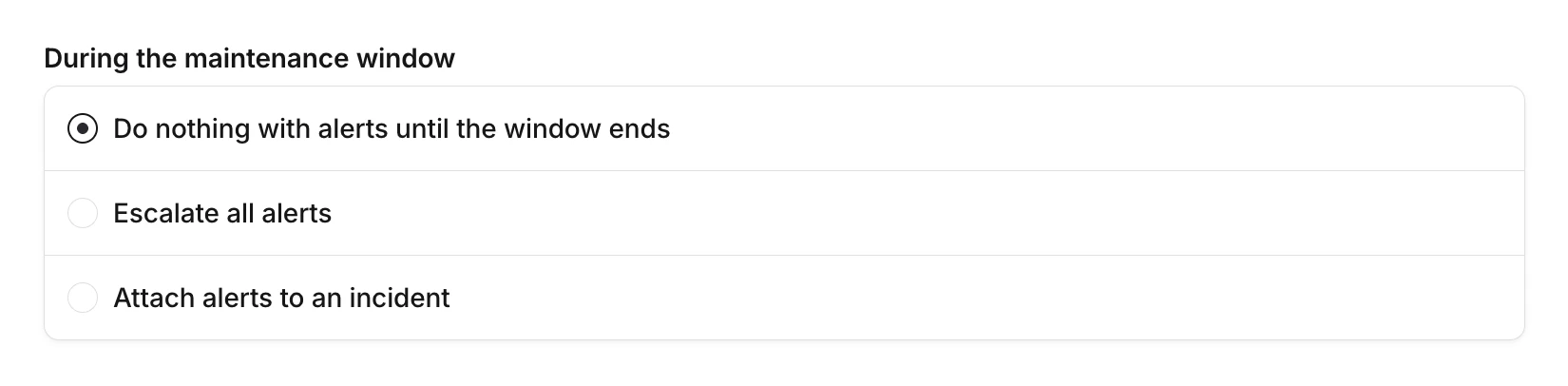 * **Do nothing with alerts until the window ends**: alerts are held and no escalations or incidents are created. This is the most common choice for routine maintenance.
* **Escalate all alerts**: alerts are escalated to specific escalation paths or users you choose. Use this if you're not expecting alerts and want to be paged as soon as something goes wrong, or to redirect alerts to the team running the maintenance instead of the usual responders.
* **Attach alerts to an incident**: alerts attach to a specific incident you choose. Use this when you want to track maintenance-related alerts in one place.
## After-window actions
Choose what happens when the maintenance window ends:
* **Do nothing with alerts until the window ends**: alerts are held and no escalations or incidents are created. This is the most common choice for routine maintenance.
* **Escalate all alerts**: alerts are escalated to specific escalation paths or users you choose. Use this if you're not expecting alerts and want to be paged as soon as something goes wrong, or to redirect alerts to the team running the maintenance instead of the usual responders.
* **Attach alerts to an incident**: alerts attach to a specific incident you choose. Use this when you want to track maintenance-related alerts in one place.
## After-window actions
Choose what happens when the maintenance window ends:
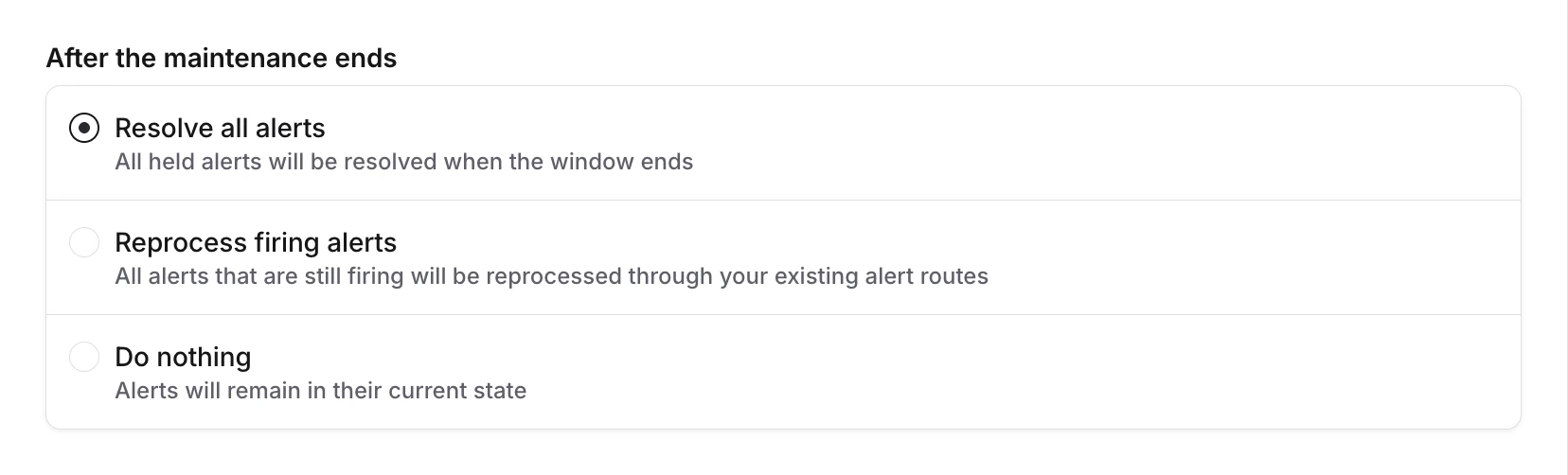 * **Resolve all alerts**: all held alerts are resolved when the window ends.
* **Reprocess firing alerts**: all alerts that are still firing are reprocessed through your existing alert routes.
* **Do nothing**: alerts remain in their current state.
When reprocessing, if three or more alerts match the same route, they're rolled up into a single escalation to avoid notification storms.
## Viewing alerts during a window
While a maintenance window is active, you can see which alerts it has caught. Open the maintenance window to view all held alerts, their status, alert source, and how much time remains.
* **Resolve all alerts**: all held alerts are resolved when the window ends.
* **Reprocess firing alerts**: all alerts that are still firing are reprocessed through your existing alert routes.
* **Do nothing**: alerts remain in their current state.
When reprocessing, if three or more alerts match the same route, they're rolled up into a single escalation to avoid notification storms.
## Viewing alerts during a window
While a maintenance window is active, you can see which alerts it has caught. Open the maintenance window to view all held alerts, their status, alert source, and how much time remains.
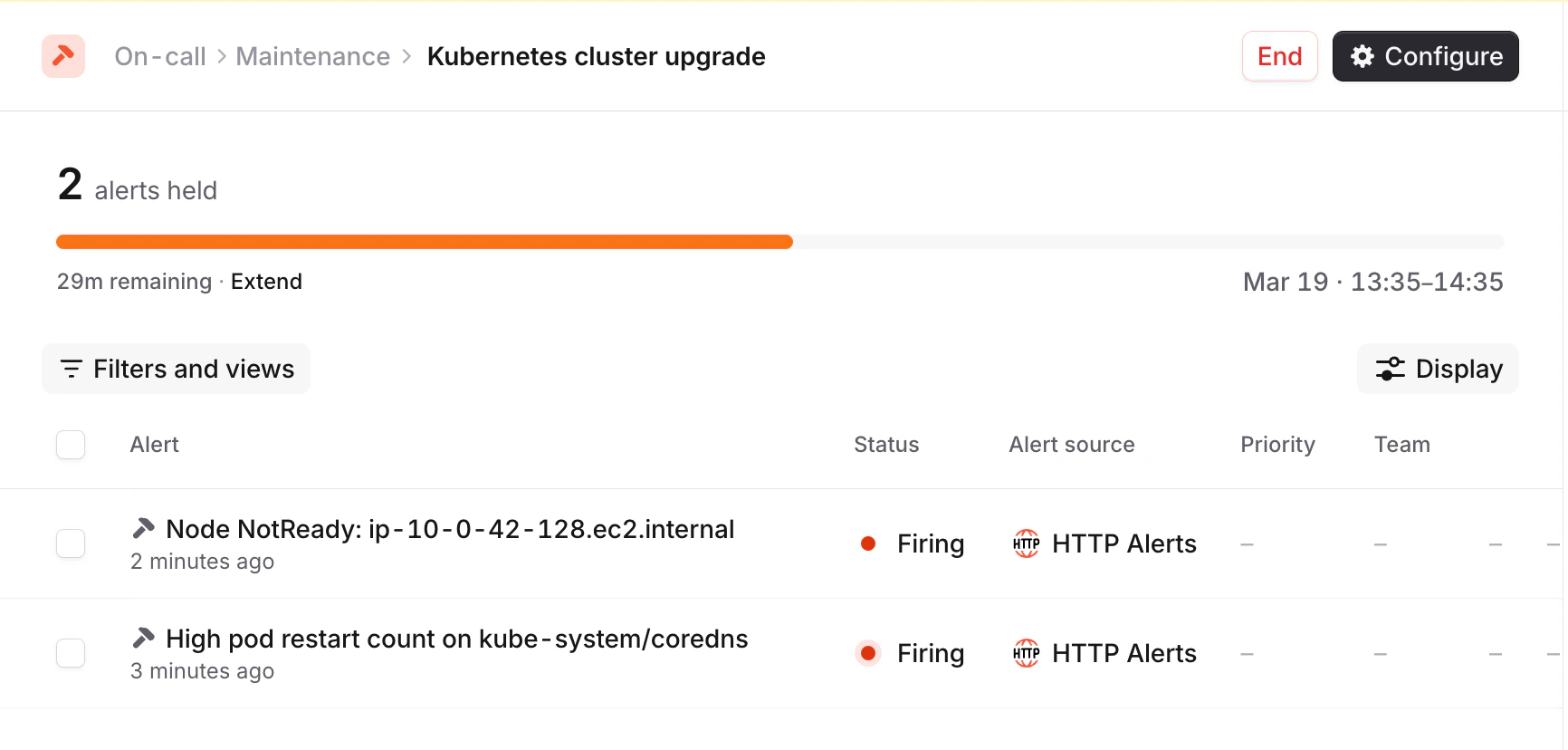 If an alert isn't related to the maintenance, you can remove it from the maintenance window so it's routed through your normal alert routes.
## Extending and ending early
Active maintenance windows can be adjusted on the fly:
* **Extend**: push the end time further out if maintenance is taking longer than expected
* **End early**: close the window immediately if maintenance finishes ahead of schedule
When you extend a window, the planned end time updates so after-window actions trigger at the new time.
## Internal announcements
Notify your team about upcoming maintenance by announcing to Slack or Microsoft Teams channels. Configure announcements to send:
If an alert isn't related to the maintenance, you can remove it from the maintenance window so it's routed through your normal alert routes.
## Extending and ending early
Active maintenance windows can be adjusted on the fly:
* **Extend**: push the end time further out if maintenance is taking longer than expected
* **End early**: close the window immediately if maintenance finishes ahead of schedule
When you extend a window, the planned end time updates so after-window actions trigger at the new time.
## Internal announcements
Notify your team about upcoming maintenance by announcing to Slack or Microsoft Teams channels. Configure announcements to send:
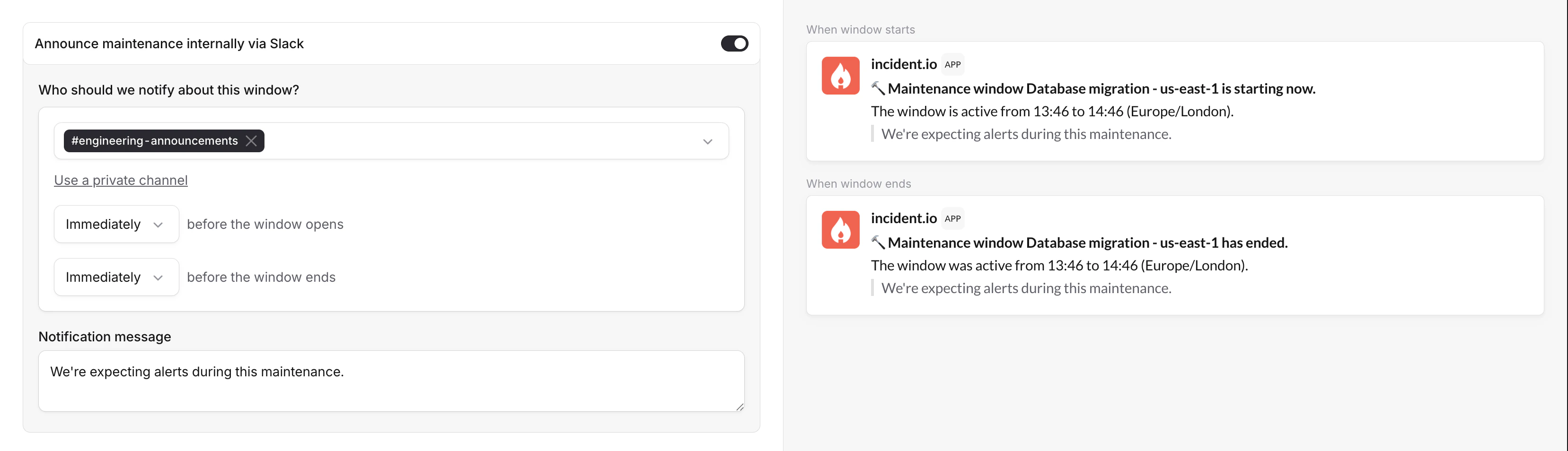 * **Before the window starts**: give your team a heads-up that maintenance is about to begin
* **Before the window ends**: alert your team that normal routing is about to resume
Set the lead time in minutes (e.g., announce 15 minutes before start) and include a custom message with any relevant context.
## FAQs
It depends on the during-window action you've configured. By default, alerts are held until the window ends without
creating escalations or incidents. You can also attach them to an incident or escalate them as normal.
Yes. You can manually remove individual alerts from a maintenance window if they need to be handled through normal
routing.
The planned end time updates to the new time. After-window actions (resolve, reprocess, or do nothing) trigger at
the new end time instead of the original.
No. Private alerts always route normally and are not caught by maintenance windows.
Yes. Active maintenance windows can appear in the dashboard sidebar, so your team has visibility into what's
currently suppressed.
Alerts caught by maintenance windows are filtered out of the **On-call → Alerts** view by default. To include them,
use the **Include maintenance window alerts** filter toggle.
* **Before the window starts**: give your team a heads-up that maintenance is about to begin
* **Before the window ends**: alert your team that normal routing is about to resume
Set the lead time in minutes (e.g., announce 15 minutes before start) and include a custom message with any relevant context.
## FAQs
It depends on the during-window action you've configured. By default, alerts are held until the window ends without
creating escalations or incidents. You can also attach them to an incident or escalate them as normal.
Yes. You can manually remove individual alerts from a maintenance window if they need to be handled through normal
routing.
The planned end time updates to the new time. After-window actions (resolve, reprocess, or do nothing) trigger at
the new end time instead of the original.
No. Private alerts always route normally and are not caught by maintenance windows.
Yes. Active maintenance windows can appear in the dashboard sidebar, so your team has visibility into what's
currently suppressed.
Alerts caught by maintenance windows are filtered out of the **On-call → Alerts** view by default. To include them,
use the **Include maintenance window alerts** filter toggle.