> ## Documentation Index
> Fetch the complete documentation index at: https://docs.incident.io/llms.txt
> Use this file to discover all available pages before exploring further.
# Attributes and Priorities
## Attributes
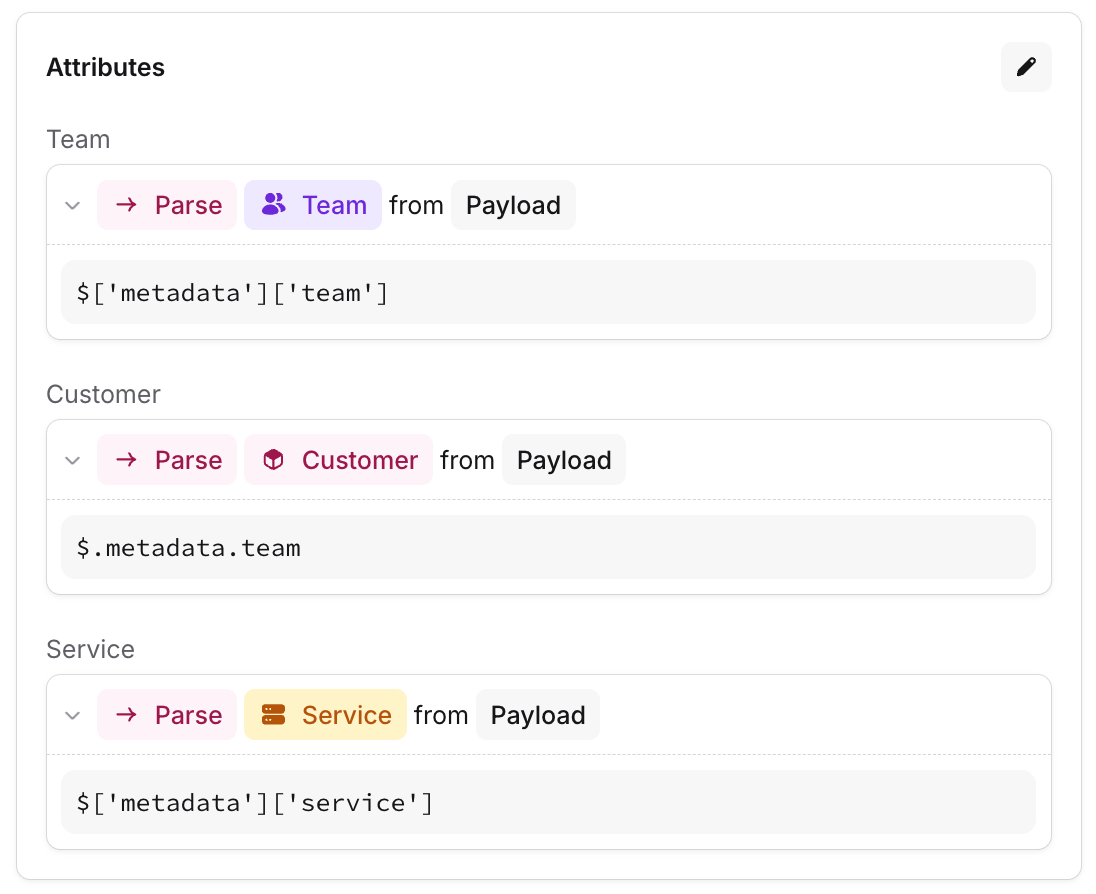
Alert attributes are how you extract a consistent format of data from your different alert sources, to use in your alert routes.
For example, your Grafana alerts might have a `team` label, while BugSnag alerts have `service` and `customer` tags. Attributes allow you to convert these into a consistent format, so your alert routes don't have to think about where an alert has come from.
Attributes also help responders understand alerts more quickly: rather than having to read through the whole payload, they'll see the extracted attributes first, so they can quickly understand what's going wrong and who's affected.
 We have a more detailed end-to-end guide on getting started with **Alerts** [here](/incidents/auto-create).
## Required attributes
If you have attributes that you rely on to handle your alerts correctly, you should make them required. A common use case for this is when setting a **Team** - if an alert is missing this value, then it may not be escalated and nobody will get paged.
We have a more detailed end-to-end guide on getting started with **Alerts** [here](/incidents/auto-create).
## Required attributes
If you have attributes that you rely on to handle your alerts correctly, you should make them required. A common use case for this is when setting a **Team** - if an alert is missing this value, then it may not be escalated and nobody will get paged.
 Marking alert attributes as required is global configuration, so you should only do this for attributes which you expect to be set on every alert.
We'll then be able to warn you if your alert sources don't have this attribute configured correctly. We can also notify you if we detect alerts that are missing a value for this attribute.
You can enable required attributes and opt in to missing attribute notifications in the [Alert Attribute settings](https://app.incident.io/~/alerts/configuration/attributes).
## Priorities
To use priorities in the escalation path branches, you can create them in [Alert](https://app.incident.io/~/alerts/configuration/priorities) [Attribute settings](https://app.incident.io/~/alerts/attributes).
Marking alert attributes as required is global configuration, so you should only do this for attributes which you expect to be set on every alert.
We'll then be able to warn you if your alert sources don't have this attribute configured correctly. We can also notify you if we detect alerts that are missing a value for this attribute.
You can enable required attributes and opt in to missing attribute notifications in the [Alert Attribute settings](https://app.incident.io/~/alerts/configuration/attributes).
## Priorities
To use priorities in the escalation path branches, you can create them in [Alert](https://app.incident.io/~/alerts/configuration/priorities) [Attribute settings](https://app.incident.io/~/alerts/attributes).
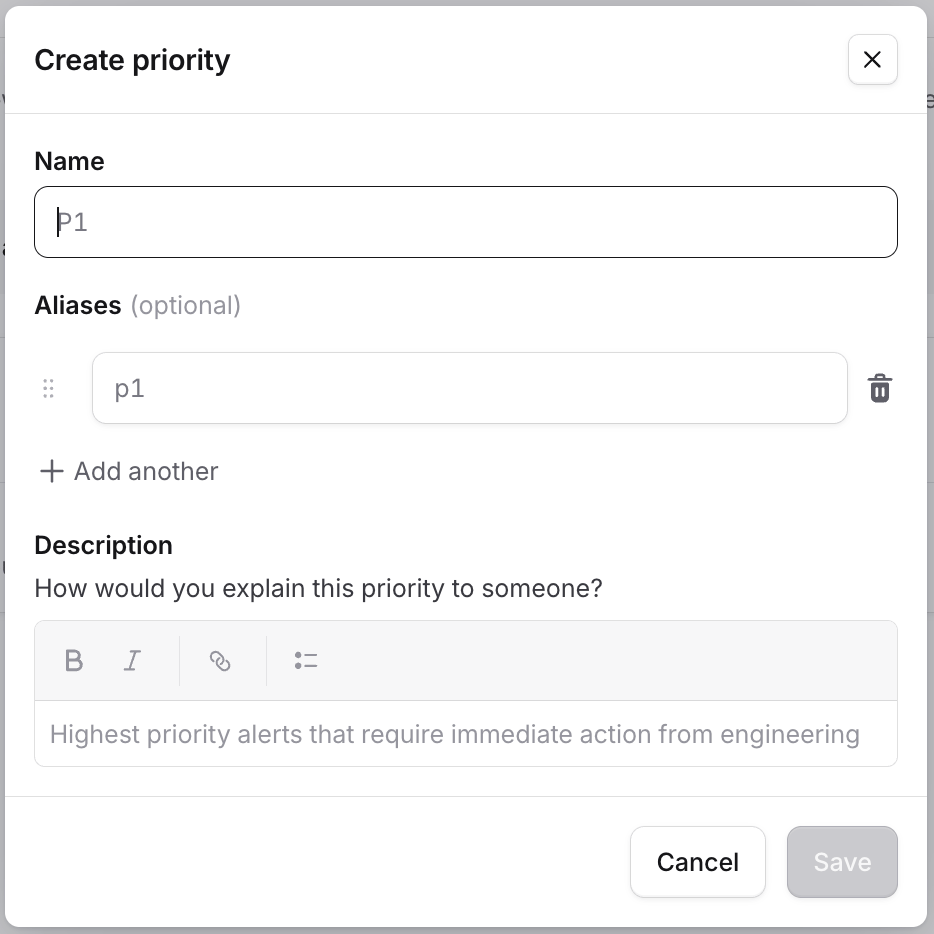 More details on setting up priorities in this [article](/on-call/escalation-paths).