> ## Documentation Index
> Fetch the complete documentation index at: https://docs.incident.io/llms.txt
> Use this file to discover all available pages before exploring further.
# Alert timeline
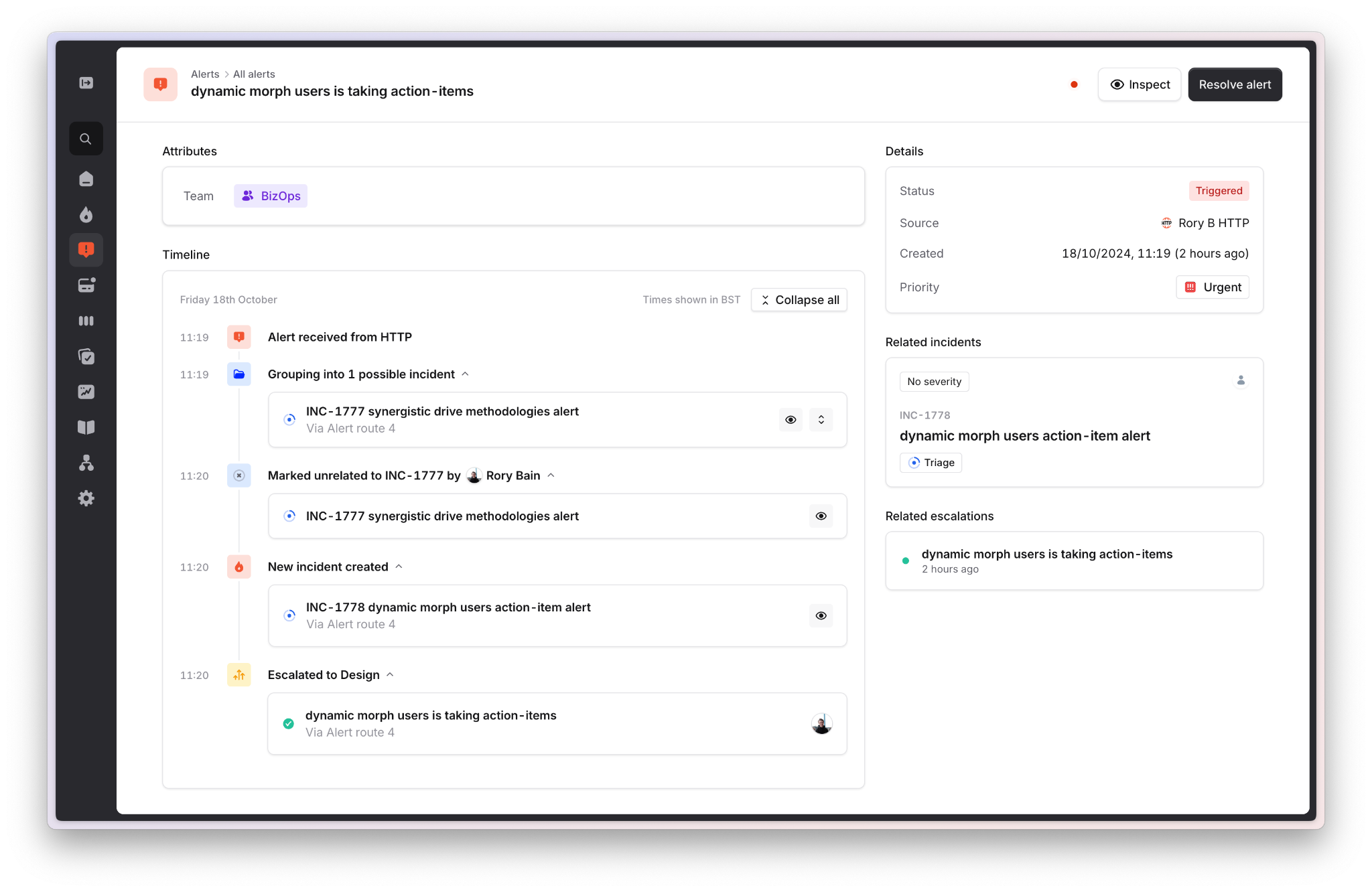
The alert timeline shows the full lifecycle of an alert from the alert details page, so you can understand exactly what happened — like why an alert didn't create an incident, or whether it was grouped into other incidents.
The timeline includes details such as:
* When the alert fired
* When the alert resolved
* What incident it created
* What incident(s) it was marked unrelated to
* What incident(s) it was grouped into
* Any [notes](/alerts/alert-notes) that have been attached to the alert
 You can also find timelines for escalations and incidents in their respective part of the product if you want to know more or find out more details about them.