> ## Documentation Index
> Fetch the complete documentation index at: https://docs.incident.io/llms.txt
> Use this file to discover all available pages before exploring further.
# Seat types and Viewers with incident.io
Our [pricing](https://incident.io/pricing) is based on the number of Responder and On-call seats in your company, so it is only fair that you ask what counts with each seat in incident.io!
## Seat types at a glance
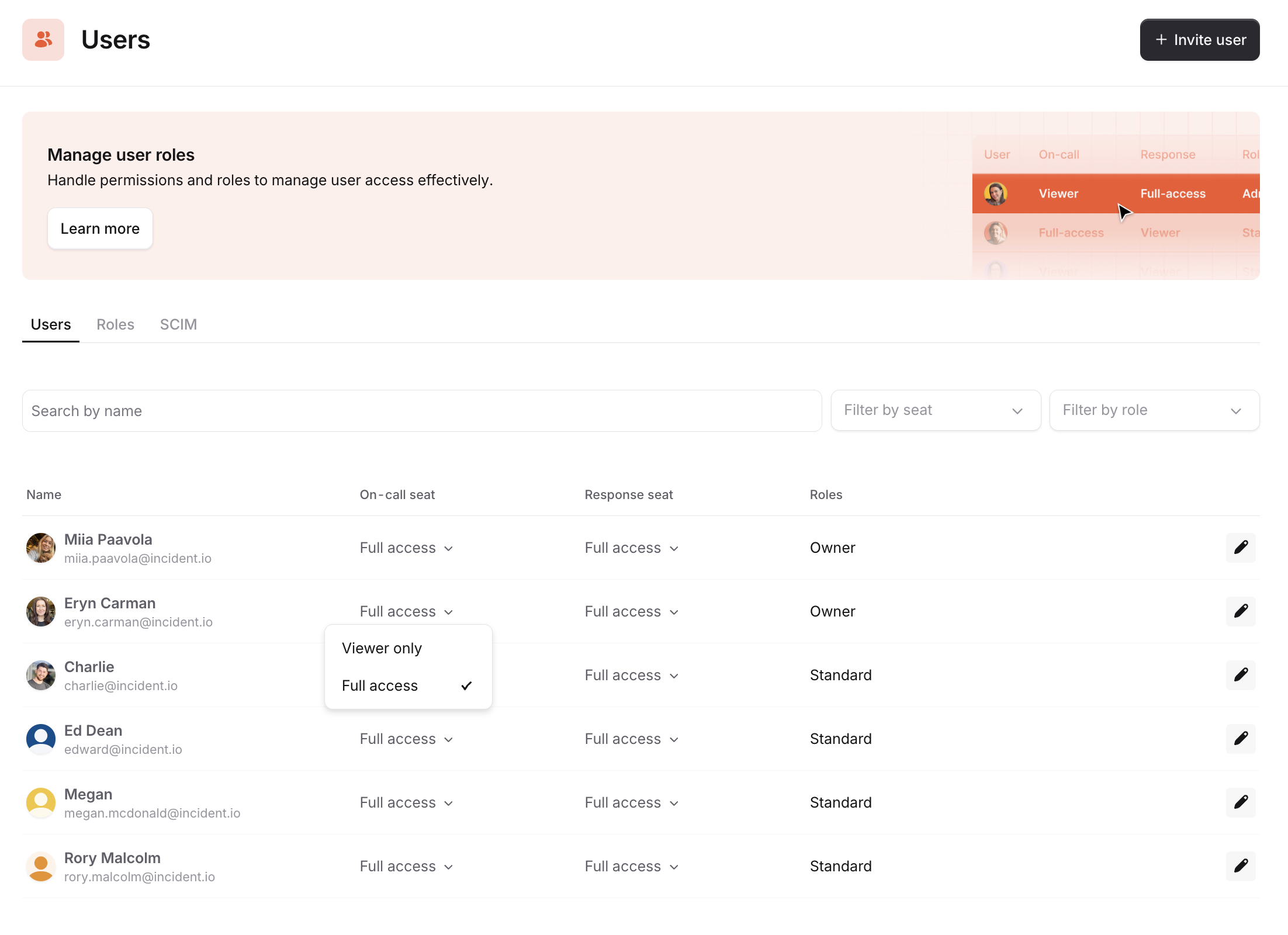
Each paid seat maps to a product — Responder for Response, On-call for On-call. Users can hold one or both paid seats, and anyone without a paid seat can still use parts of our product as a Viewer.
As a rule of thumb, Responder and On-call seats are for users who actively engage with incident.io to be On-call, manage incidents, whereas Viewers (free seats) are users who declare and join an incident channel to contribute information, but do not actively participate in incident response.
| Seat type | Cost | What can you do |
| ------------- | ---- | -------------------------------------------------------------------------------------------------------------------- |
| **Viewer** | Free | Declare incidents, contribute in channels, view post-mortems, alerts, and schedules. Unlimited Viewers on all plans. |
| **Responder** | Paid | Manage incidents: change status, post updates, assign roles, and write post-mortems. |
| **On-call** | Paid | Be paged and included in schedules and escalation paths. |
Someone with a paid Responder or On-call seat can have the role permissions of an [Administrator](/admin/user-permissions), [Owner](/admin/user-permissions) or any [custom role](/admin/user-permissions#h_649c9e2937). Viewers can only have the Standard set of permissions.
 ***
## On-call seat (paid)
Users who have an On-call seat can:
* Be added to a schedule
* Be added to an escalation path
* Have access to the mobile app
* Incidents
* Escalations
* Schedules
* Overrides
* Cover me
* Get paged via all methods (phone, SMS, Slack, app, email)
* Request cover via mobile app and Slack
* Create overrides via dashboard, mobile app and Slack
* Create pay reports from On-call
## Responder seat (paid)
Someone with a responder seat can have the role permissions of an [Administrator](/admin/user-permissions), [Owner](/admin/user-permissions) or any [custom role](/admin/user-permissions#h_649c9e2937). Viewers can only have the Standard set of permissions.
Users who have done the following will qualify as Responders:
**Managing and running incidents**
* Changed the status, severity, or [custom field](/incidents/custom-fields) values
* Posted an incident [Update](/incidents/status-updates)
* Changed the incident Status, includes accepted and declined an incident.
* Was assigned or assigned someone else an [incident role](/incidents/incident-roles) (Lead or other)
* Handed over the Lead role
* Created, assigned, updated, was assigned to, or completed an [action](/incidents/task-tracking) or a [follow-up](/post-incident/follow-ups)
* Changed the [Call URL](/incidents/video-calls) associated with the incident
* Changed the incident [Type](/incidents/incident-types)
* Updated the incident [Summary](/ai/summaries)
* Pinned a Slack message to the [timeline](/post-incident/timeline)
* Revoked someone’s access to a [Private Incident](/incidents/sensitive-incidents)
* Renamed an incident
* [Merged](/incidents/merging) an incident
**Documenting incidents**
* Created or edited a [Post-mortem](/post-incident/postmortems-overview)
* Set a [Timestamp](/incidents/lifecycle)
* Removed an [Attachment](/incidents/attachments)
## Viewer only (free)
If you don't have a paid Responder seat or an On-call seat, you can still use parts of the product as a viewer. Viewers can create an incident, observe what is happening in the incident, and post messages in the channel.
As a viewer, you can:
* Create incidents (everyone in the company can declare incidents for free)
* [Decline](/incidents/triaging) an incident
* Join incident channels and post in them (everyone can track and contribute important information to incidents for free)
* Go through a [tutorial incident](https://incident.io/changelog/2021-12-20-tutorial) (everyone can - and should! - learn the ropes of incident.io for free)
* View alerts, escalations and schedules
* Add an [Attachment](/incidents/attachments) (e.g. Zendesk, Github, etc.)
* [Escalate](/incidents/escalating) to someone (e.g. via incident.io On-call/Opsgenie/PagerDuty)
* View [internal status pages](/status-pages/overview#internal-status-pages-19)
* [Publish to status pages](/status-pages/publishing-incidents) (both incident.io status pages and [Atlassian Statuspage](/integrations/statuspage))
* View post-mortems
* Use @incident bot. Note: using the bot to make changes to the incident that only responders should do will upgrade you to a responder (see above actions for [responders](/admin/seat-types#responder-seat-paid))
All our plans allow unlimited viewers free of charge
***
## Adding and removing seats
For details on how to add, remove, or change seats, see [Managing seats](/admin/managing-seats).
***
## FAQs
Learning is free at incident.io. Everyone in your company can — and should! — learn the ropes of incident.io without getting penalized by it and billed.
Your teammates won't be considered Responders (paid users) if they go through our tutorial flow.
You can find full details of our billing methods and mechanics [here](/admin/billing).
***
## On-call seat (paid)
Users who have an On-call seat can:
* Be added to a schedule
* Be added to an escalation path
* Have access to the mobile app
* Incidents
* Escalations
* Schedules
* Overrides
* Cover me
* Get paged via all methods (phone, SMS, Slack, app, email)
* Request cover via mobile app and Slack
* Create overrides via dashboard, mobile app and Slack
* Create pay reports from On-call
## Responder seat (paid)
Someone with a responder seat can have the role permissions of an [Administrator](/admin/user-permissions), [Owner](/admin/user-permissions) or any [custom role](/admin/user-permissions#h_649c9e2937). Viewers can only have the Standard set of permissions.
Users who have done the following will qualify as Responders:
**Managing and running incidents**
* Changed the status, severity, or [custom field](/incidents/custom-fields) values
* Posted an incident [Update](/incidents/status-updates)
* Changed the incident Status, includes accepted and declined an incident.
* Was assigned or assigned someone else an [incident role](/incidents/incident-roles) (Lead or other)
* Handed over the Lead role
* Created, assigned, updated, was assigned to, or completed an [action](/incidents/task-tracking) or a [follow-up](/post-incident/follow-ups)
* Changed the [Call URL](/incidents/video-calls) associated with the incident
* Changed the incident [Type](/incidents/incident-types)
* Updated the incident [Summary](/ai/summaries)
* Pinned a Slack message to the [timeline](/post-incident/timeline)
* Revoked someone’s access to a [Private Incident](/incidents/sensitive-incidents)
* Renamed an incident
* [Merged](/incidents/merging) an incident
**Documenting incidents**
* Created or edited a [Post-mortem](/post-incident/postmortems-overview)
* Set a [Timestamp](/incidents/lifecycle)
* Removed an [Attachment](/incidents/attachments)
## Viewer only (free)
If you don't have a paid Responder seat or an On-call seat, you can still use parts of the product as a viewer. Viewers can create an incident, observe what is happening in the incident, and post messages in the channel.
As a viewer, you can:
* Create incidents (everyone in the company can declare incidents for free)
* [Decline](/incidents/triaging) an incident
* Join incident channels and post in them (everyone can track and contribute important information to incidents for free)
* Go through a [tutorial incident](https://incident.io/changelog/2021-12-20-tutorial) (everyone can - and should! - learn the ropes of incident.io for free)
* View alerts, escalations and schedules
* Add an [Attachment](/incidents/attachments) (e.g. Zendesk, Github, etc.)
* [Escalate](/incidents/escalating) to someone (e.g. via incident.io On-call/Opsgenie/PagerDuty)
* View [internal status pages](/status-pages/overview#internal-status-pages-19)
* [Publish to status pages](/status-pages/publishing-incidents) (both incident.io status pages and [Atlassian Statuspage](/integrations/statuspage))
* View post-mortems
* Use @incident bot. Note: using the bot to make changes to the incident that only responders should do will upgrade you to a responder (see above actions for [responders](/admin/seat-types#responder-seat-paid))
All our plans allow unlimited viewers free of charge
***
## Adding and removing seats
For details on how to add, remove, or change seats, see [Managing seats](/admin/managing-seats).
***
## FAQs
Learning is free at incident.io. Everyone in your company can — and should! — learn the ropes of incident.io without getting penalized by it and billed.
Your teammates won't be considered Responders (paid users) if they go through our tutorial flow.
You can find full details of our billing methods and mechanics [here](/admin/billing).